
Overview
Developed as a way to help Louis weight this Python app was made to let others play games by Exercising. Either through an Exercise bike or on a treadmill you have to move in-real-life in order to move your character in-game. The best part about it is that it does not modify the game itself, the app just converters the Joy-con’s inputs into simple “W” key presses or pushing forward on the joystick. Download the app here and view the source code on Github!

Hardware needed
The main thing you’ll need to buy is a leg strap for your joy-con. Outside of that as long as you have the Nintendo Switch Joy-Cons and a way to connect them to your PC via Bluetooth you’re good to go! The app currently does not work with the Nintendo Switch 2 Joy-Cons but it is a featured planned for a future release.
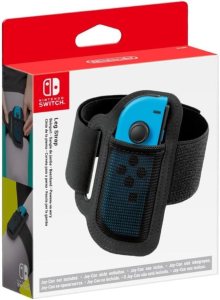
- Nintendo Switch Joy-Cons Leg Strap ($20): Amazon Link
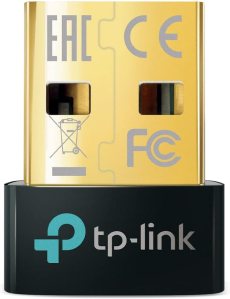
- TP-Link USB Bluetooth Adapter for PC – Bluetooth 5.4 ($12): Amazon Link
How to use Joy-Cardio
<insert Video tutorial here>
Connect Your Joy-Cons to your PC
- Open the Bluetooth & Devices Panel on your PC
- Click on add Device
- Select Bluetooth
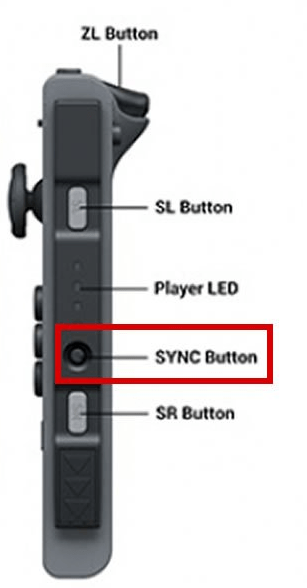
- On Each Joy-Con press and HOLD the SYNC button until the Joy-Cons light up
- On your PC, select both the Joy-Con (L) and Joy-Con (R)
- If all works out your Joy-Cons should have a solid light and can be seen under the Input section in the Bluetooth & device > Devices screen
GuideRealm made a YouTube Tutorial on connecting Joy-Cons to your PC if you need more help
Launch the App
- Locate the Joy-Cardio app in the folder you downloaded it too
- Launch the program
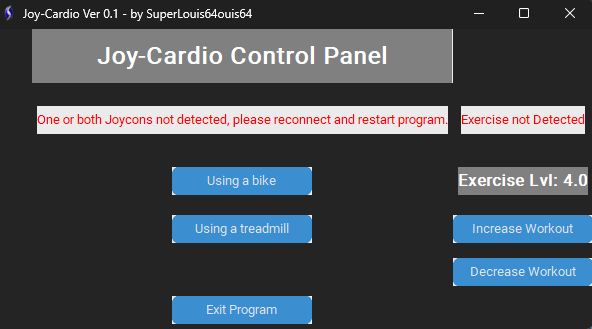
- If the Joy-Cons are connected to your PC a green text will confirm this and you’re ready to play games
- If the text in the program is red, that means your Joy-Cons aren’t connected. Make sure to close the program and connect your Joy-Cons to your PC before relaunching the program.
Change to Exercise Bike mode or Treadmill
- The program defaults to Exercise bike mode however you can use the buttons on the app to change between Treadmill and Bike Mode. As of now there is no down-time between each mode so as soon as you click on the new mode it is already in motion
- You will need the Leg-strap for this to work correctly. Some have just left the Joy-Con in their pockets for mixed results
FAQ
If you have any issues feel free to ping SuperLouis64 on Bluesky or on Discord. The program is super WIP and any feedback would be helpful! Here are some common questions and answers.
- Will this come to Mac or Linux?
- No. Maybe in the future but I don’t own a Mac and haven’t had a chance to see if I can port this to Linux
- Can this work on Consoles?
- Yes but it’s complicated. We are looking into making our own hardware however as of now you’ll need to get an input converter like the Titan One or Cronus Zen. Sadly it’s an expensive option due to unforced errors made by an orange dumbass
- Will 3rd party Joy-Cons work with the app?
- As far as we know: no. If you can get it to work let us know!
- Will the source code be available?
- Yes, you can view it on Github!
- The app opens but does not work what’s up? Sometimes it hangs trying to find both Joy-Cons. Make sure they are connected to your PC before launching the app and if you’re having issues close and relaunch the program.
- My Joy-Cons aren’t responding mid-gameplay If the Joy-con doesn’t get any inputs after a certain amount of time it will just timeout and disconnect from the program. Just reconnect them to your PC or restart the app
 Controller Bending